
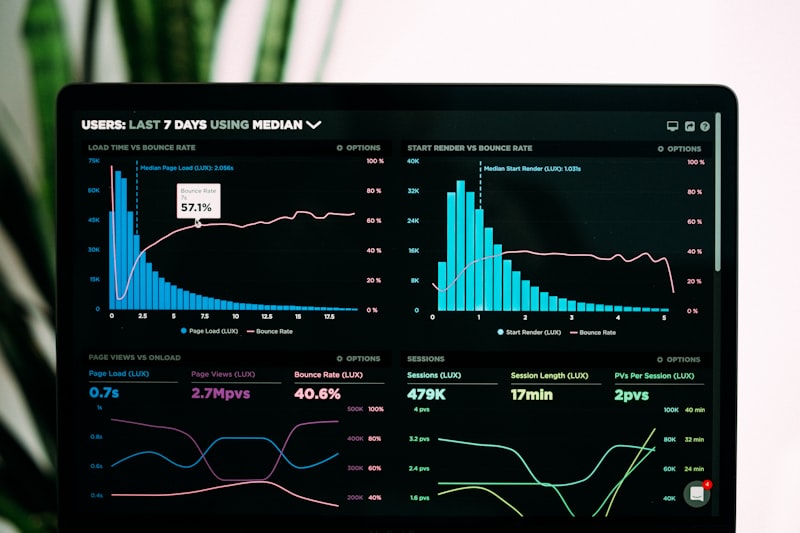
Un agent IA autonome a besoin d un tableau de bord pour visualiser son activite, ses logs et ses alertes. Voici comment construire un dashboard web minimaliste avec Flask en moins de 100 lignes de code.
Le setup minimal
pip install flask

# dashboard.py
from flask import Flask, render_template_string, jsonify
import datetime, json, os

app = Flask(__name__)
LOG_FILE = "agent_logs.json"

def get_logs():
    try:
        with open(LOG_FILE) as f:
            return json.load(f)
    except:
        return []

@app.route("/")
def index():
    logs = get_logs()[-50:]  # 50 derniers
    html = """
    <html>
    <head><title>Agent IA Dashboard</title>
    <meta http-equiv='refresh' content='30'>
    <style>
    body{font-family:sans-serif;max-width:900px;margin:0 auto;padding:20px;background:#1a1a2e;color:#eee}
    h1{color:#e94560}
    .log{padding:10px;margin:5px 0;border-radius:8px;background:#16213e}
    .info{border-left:4px solid #0f3460}
    .warning{border-left:4px solid #e94560}
    .error{border-left:4px solid #ff0000}
    .time{color:#888;font-size:12px}
    .status{display:flex;gap:20px;margin:20px 0}
    .card{background:#16213e;padding:20px;border-radius:10px;flex:1;text-align:center}
    .card h3{margin:0;color:#e94560}
    </style></head>
    <body>
    <h1>Agent IA Dashboard</h1>
    <div class='status'>
      <div class='card'><h3>{{ logs|length }}</h3>Actions</div>
      <div class='card'><h3>{{ warnings }}</h3>Alertes</div>
      <div class='card'><h3>{{ uptime }}</h3>Uptime</div>
    </div>
    {% for log in logs|reverse %}
    <div class='log {{ log.level }}'>
      <span class='time'>{{ log.time }}</span> {{ log.message }}
    </div>
    {% endfor %}
    </body></html>
    """
    warnings = len([l for l in logs if l.get('level') == 'warning'])
    return render_template_string(html, logs=logs, warnings=warnings, uptime="24h")

if __name__ == "__main__":
    app.run(host="127.0.0.1", port=8080)
Ajouter des logs depuis l agent
import json, datetime

def log_action(message, level="info"):
    entry = {
        "time": datetime.datetime.now().strftime("%d/%m %H:%M:%S"),
        "message": message,
        "level": level
    }
    try:
        with open("agent_logs.json") as f:
            logs = json.load(f)
    except:
        logs = []
    logs.append(entry)
    logs = logs[-500:]  # garder les 500 derniers
    with open("agent_logs.json", "w") as f:
        json.dump(logs, f)

# Dans votre agent :
log_action("Rapport matinal envoye", "info")
log_action("Stock bas detecte sur OldPatoun", "warning")
log_action("Backup IONOS termine — 4 sites", "info")
Acceder a distance
Pour acceder au dashboard depuis votre telephone, utilisez un tunnel Cloudflare (gratuit) :
# Installer cloudflared
# Puis :
cloudflared tunnel --url http://localhost:8080
Vous obtenez une URL publique type https://random-name.trycloudflare.com accessible de partout.
Materiel
Le dashboard tourne sur n importe quoi — meme un Raspberry Pi 5. Pour un setup complet agent + dashboard, un mini PC avec un ecran 4K est ideal.

Article rédigé par
Lucie Marchand
Vulgarisatrice & Storyteller
Lucie rend l'IA accessible à tous avec son style direct, ses analogies imagées et une bonne dose d'humour. Convaincue qu'apprendre doit rester un plaisir.
🛒 Sélection de la rédaction
Nos recommandations pour aller plus loin
Liens affiliés Amazon — votre achat soutient gratuitement notre travail.